First: a WARNING: There’s a danger in choosing a website designer, which is looking for the cheapest one you can find.
You want a site that makes you money, i.e. brings you leads, deals to close.
A good website designer combined with marketing (compelling message, delivered to the right people at the right time) will make you far more than they cost.
A bad one will simply be a money-pit.
I know you want a good price. Hear me out – here’s the trap:
- You search for the cheapest one, since you don’t know what really matters (hint: it’s profitability, not price)
- You then find someone who doesn’t know how to make a website that _creates_ money. Would you rather have a website that produces $$$ per month, but cost $$ one time? Or a $ website that does nothing for you, and “leaks” profit, causes people to “keep searching” instead of booking and buying?
- You find what you want: a cheap designer, often overseas, that will give you a slapped-together template, with no attention to SEO, conversion, the customer journey. It might even look pretty, but does nothing for you.
- Repeat: Then next time you want a website, you also want to go as cheap as possible, because “websites don’t make money”. You’re in the trap. You might be there now.
There’s a different path:
A website that’s a storefront, and causes people to book and buy.
Google.com is “just a website”. It mints billions per year in profit.
The #1 Criteria for choosing a Website Designer: Profitability
What matters most: Your cost-per-client.
Personally I’d much prefer to have a $3k website that creates over $1k/mo in sales lead value, vs a $300 website that creates $0/mo in sales-leads.
Our top project was creating 61 leads per DAY. Average, for the month.
Note: they spend a lot on marketing, but were profiting $$$.
Your cost-per-closed-deal is the #1 metric you need to be focused on, and a website is a core part of this.
In marketing terms, this is called “CAC” – Cost to Acquire a Customer.
Trade shows average CAC is $805. Email CAC average is about $180. PPC CAC cross-industry average right now is probably $285.
Various channels and various industries have benchmarks for what a cost-per-lead should cost.
Next, you then have another key metric: CLTV – Customer Life Time Value.
For HVAC, average is $15,340, but that’s average. Are you average? (tip: Use SwiftCloud and we’ll help you tune upsells, cross-sells, referrals, etc. so each customer is worth more $ – and gets more value for their $).
Ok – let’s get into it:
There’s a hierarchy for website design – base camp is just trust – “Brochure Mode”.
the TL;DR: Order your “Base Camp” package bel0w – you’ll get a ton of stuff, including things you don’t even know you need (example: hacking security, load speed optimization) and more.
Our Base Camp Package includes:
- A WordPress-based Website with semi-custom Theme, so you have a control panel for blog, homepage etc – note we’ve done over 200 WordPress websites, have multiple custom plugins, advanced theme design. This also means there’s no “lock-in”, we have to stay good, and it’s easy to replace us, since there’s a ton of wordpress talent out there (though 98% are frankly not as good as us – yes, I’m bragging, but we’re good. We can build just about anything in WordPress.)
- A Web-Based CRM (Client Relationship Manager) – Sales Leads feed into SwiftCRM – part of SwiftCloud – so you can automate your sales foll0w-up, quote generation, etc. – SwiftCRM essentials with Web Forms is included. This also includes a client portal if you need it, scheduling, e-payments, and more.
- Swift Email essentials package – Email newsletter tools, but also cold email
- Optional: Swift Phone – press 1 for sales, voicemail, etc
- Essential training on how to get your website making you money. You need a compelling message, deliver to the right people – i.e. advertising, usually, but we can help with SEO (Search Engine Optimization), PPC (Pay-Per-Click – aka SEM Search Engine Marketing), Social Media, Cold Email and more.
Schedule your conversation to get a quote.
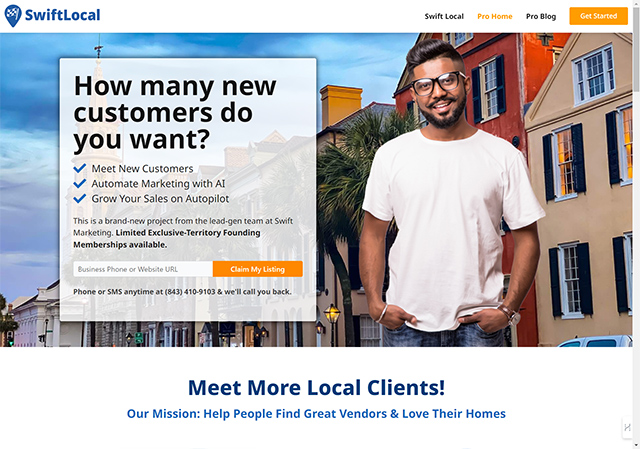
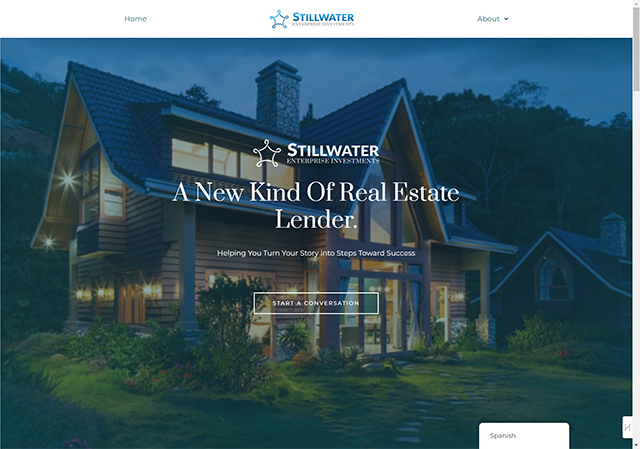
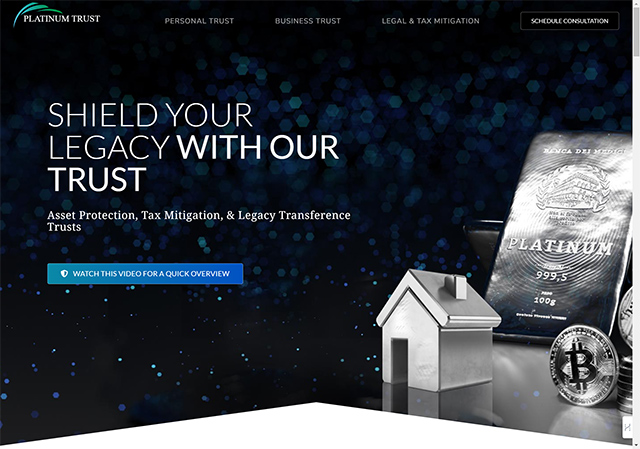
It can help you showcase your services, build trust and credibility, generate leads, and increase your revenue.
But not all websites are created equal. Some websites are outdated, slow, unresponsive, or hard to navigate. Some websites do not reflect your brand identity, your unique value proposition, or your customer needs. Some websites do not follow the best practices of web design, SEO, or conversion optimization.
That’s why you need a professional website designer who can create a high-converting website for your local service business. A website designer is someone who has the skills and experience to design and develop a website that meets your goals and expectations. A website designer can help you with:
- Planning and strategizing your website content, layout, and functionality
- Choosing the right platform, tools, and technologies for your website
- Creating a custom design that matches your brand identity and style
- Implementing SEO-friendly features and techniques to boost your online visibility
- Optimizing your website for speed, performance, security, and accessibility
- Testing and launching your website and ensuring its quality and functionality
- Maintaining and updating your website and fixing any issues or bugs
If you are looking for the best website designer for your local service business, look no further than Swift Marketing. Swift Marketing is a team of expert website designers who specialize in creating high-converting websites for local service businesses. Swift Marketing can help you with:
- Creating a custom website that reflects your brand identity, your unique value proposition, and your customer needs
- Implementing SEO-friendly features and techniques to rank higher on Bing and other search engines
- Optimizing your website for speed, performance, security, and accessibility
- Adding FAQ schema markup to enhance your website’s appearance on Bing’s search results page
- Integrating call-to-action buttons to encourage your visitors to order your Business Base Camp package today
Swift Marketing has helped hundreds of local service businesses grow their online presence and increase their revenue with their amazing websites. You can check out their portfolio to see some of their stunning work. You can also read their reviews to see what their happy clients have to say about them.
Don’t wait any longer. Order your Business Base Camp package today and get ready to transform your online presence with Swift Marketing.